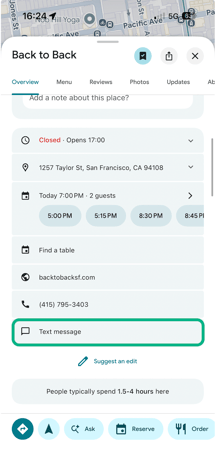
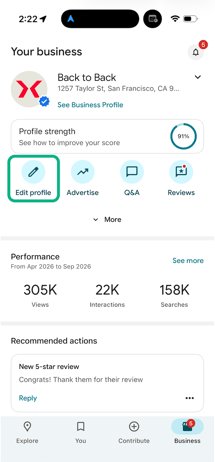
- Log in to your Google Business
- Click Business information
- Click Edit profile > Contact.
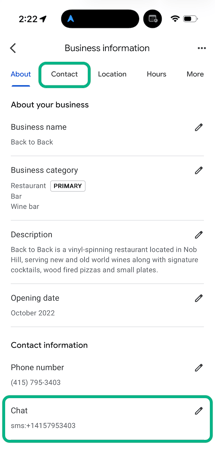
- Next to "Chat," select Edit
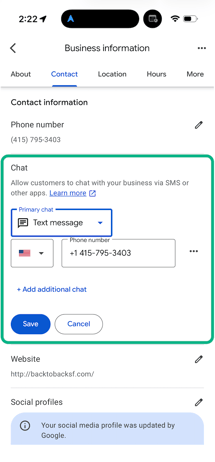
- In the "Chat" drop-down, click the Down arrow
- Select 'Text message'
- Enter your Hostie Number, then click Save
Now, guests have the option to text on mobile!