Available with any of the following plans: Essential, Premium, and Hospitality Plus
Accessible to the following roles: Organization Manager, Organization Representative, or Manager
For reservations made in-house, you can send SMS requests for secure credit card details on in-house or phone reservations and automatically cancel unpaid bookings to keep tables available for confirmed guests. Follow this guide to learn how set up a Hostie user in OpenTable.
Use the links below to jump to specific areas, or read from top to bottom and use the links within each section to navigate between areas:
How to request credit cards for in-house reservations (return to top)
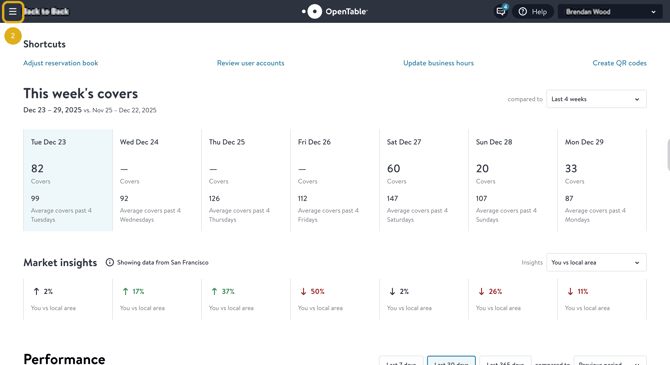
- Log in to your OpenTable guest center
- Select the hamburger at the top-left corner of the screen to open the navigation menu
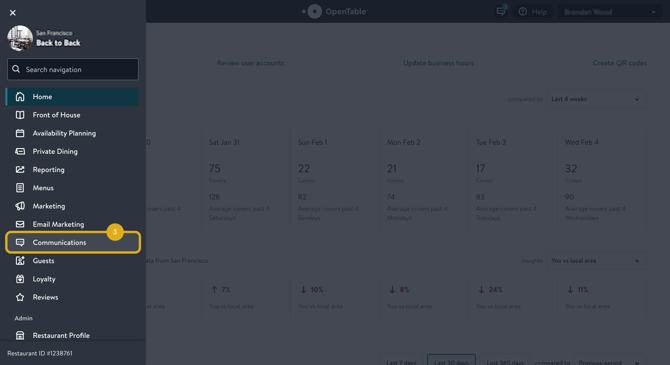
- Scroll down the navigation menu and select 'Communications'
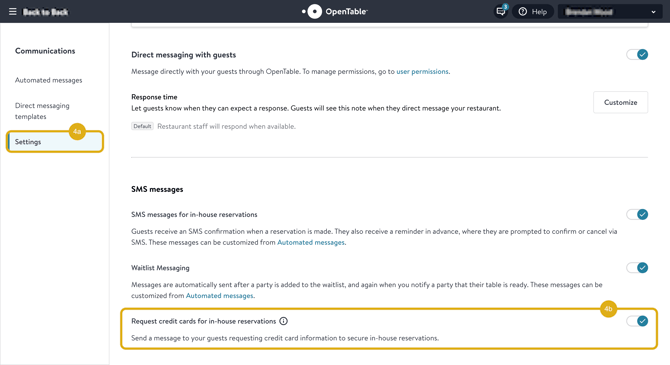
- Select 'Settings' and enable 'Request credit cards for in-house reservations'
- You can visit OpenTable for more info
How to cancel in-house reservations without a credit card (return to top)
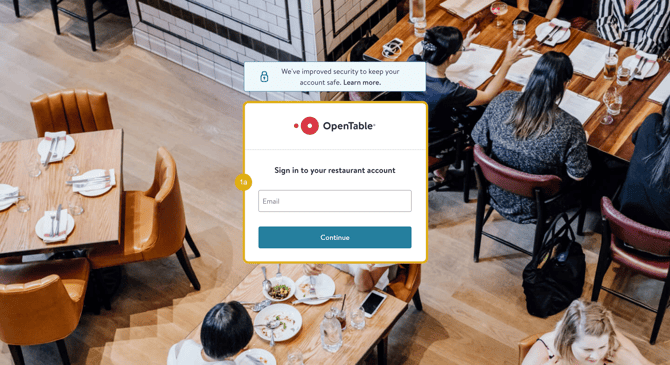
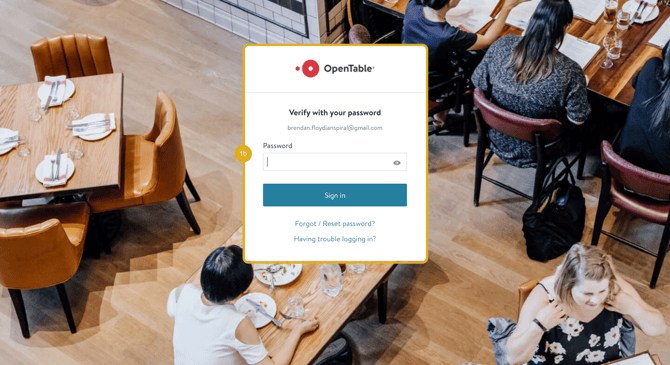
- Log in to your OpenTable guest center
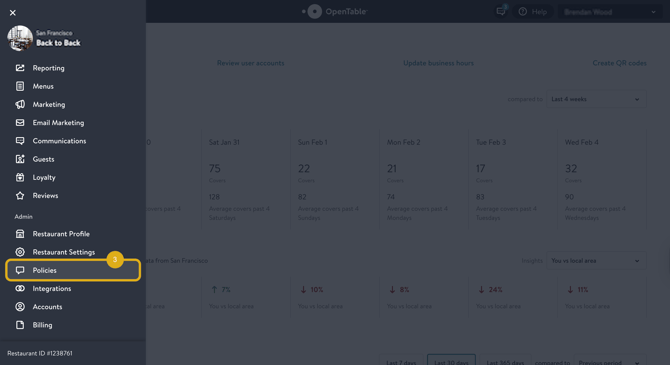
- Select the hamburger at the top-left corner of the screen to open the navigation menu
- Scroll down the navigation menu and select 'Policies'
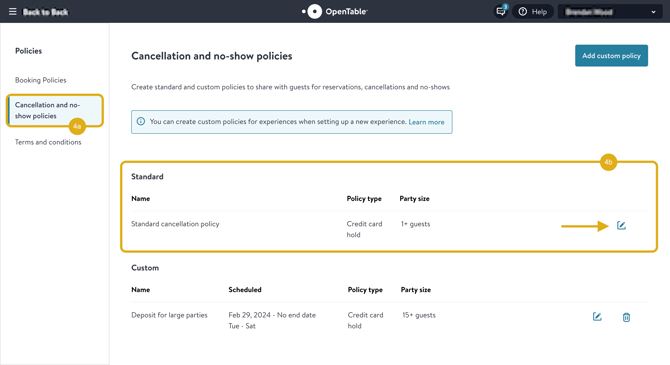
- Select 'Cancellation and no-show policies' and edit your Standard cancellation policy by selecting the pencil icon
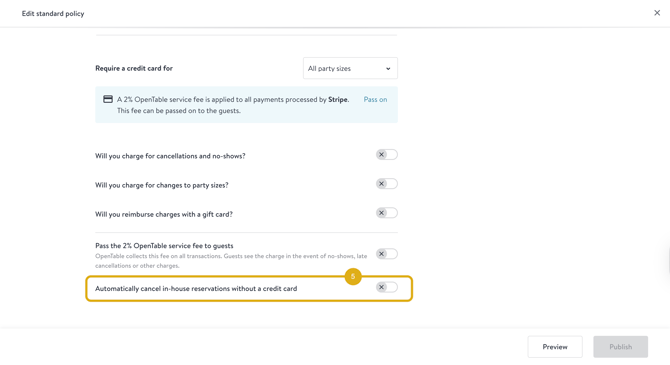
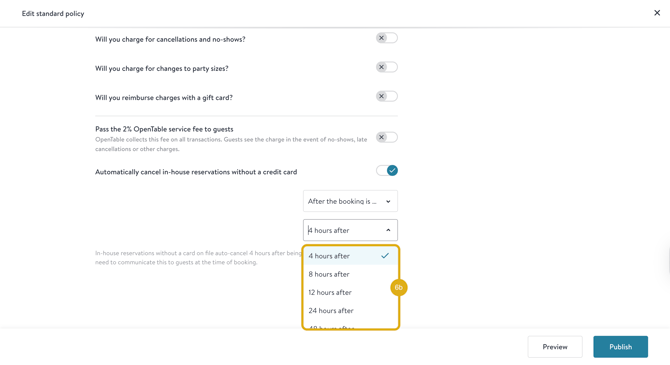
- Scroll down and toggle enable 'Automatically cancel in-house reservations without a credit card'
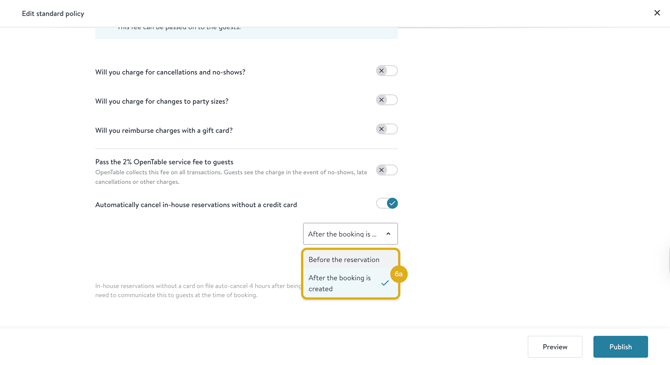
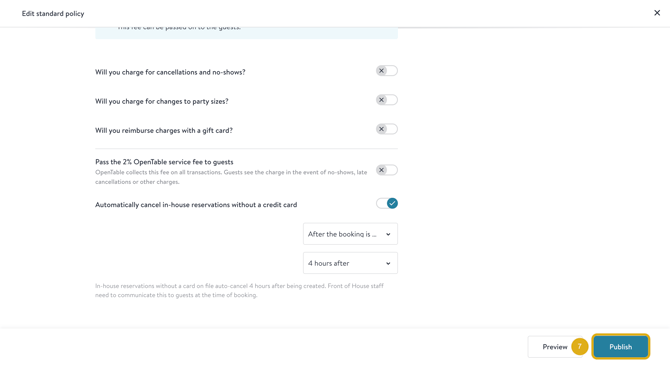
- Choose 'After the booking is created' and '4 hours after' or desired timeframe
- Select 'Publish' to save
- You can visit OpenTable for more info