
In this article:
Inbox view
- Filter between 'All' and 'Unresolved' to see what works best for you and your team!
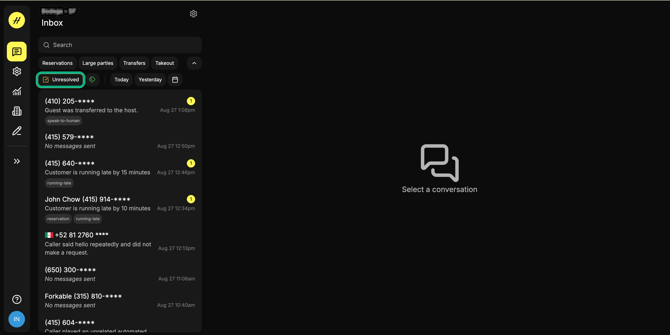
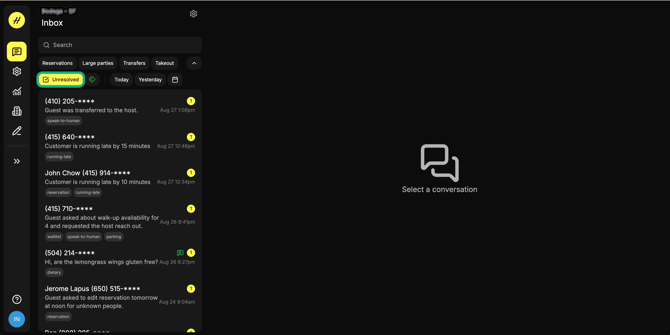
Pro Tip: Think of these as 'action items' for your team. Review your conversations as part of opening and closing tasks, and throughout the shift with push notifications.
How to add a custom FAQ
Go to your Hostie App and navigate to the left-hand menu.
Go to 'Settings', then 'FAQ'
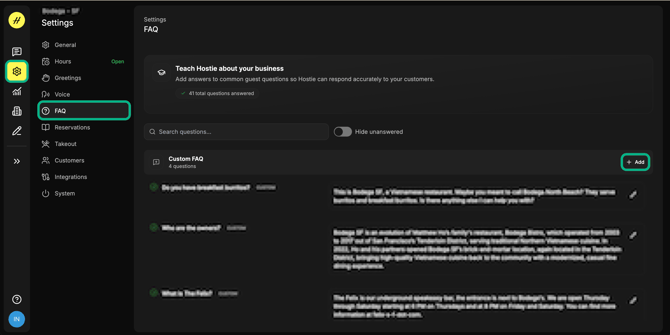
How to utilize this feature:
- This can be used to add general information about the restaurant that does not currently live in the General FAQs or back-end of Hostie.
- Ex. "Do you have any Monday night specials?"
-
- "Yes, we offer a pie and wine special on Monday nights."
-
- Ex. "Do you have any Monday night specials?"
Pro tip: Some responses may live in the back-end of Hostie, such as takeout inquiries or large party inquiries. These flows would be reviewed during onboarding and can always be adjusted. Just let us know at help@hostie.ai!