Available with any of the following plans: Essential, Premium, and Hospitality Plus
Accessible to the following roles: Organization Manager, Organization Representative, or Manager
Learn how to edit and add links and responses in your settings.
The steps in this guide are the same, whether you're on the Hostie dashboard for the web, the Hostie app for iPhone, or the Hostie app for iPad.
Use the links below to jump to specific areas, or read from top to bottom and use the links within each section to navigate between areas:
You can update your FAQs and URLs in the Hostie App!
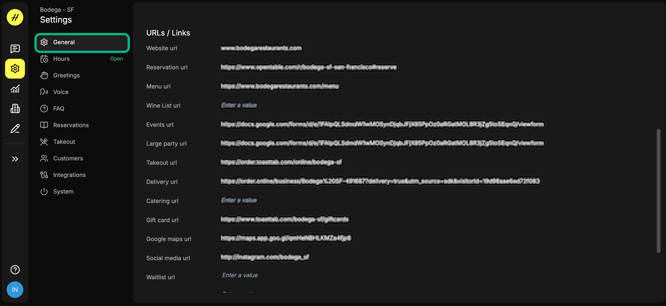
How do I edit the links?
- Log in to your Hostie dashboard
- Select 'Settings' on the left-hand menu
- Select 'General' to view address, email, and links
How do I edit the FAQs?
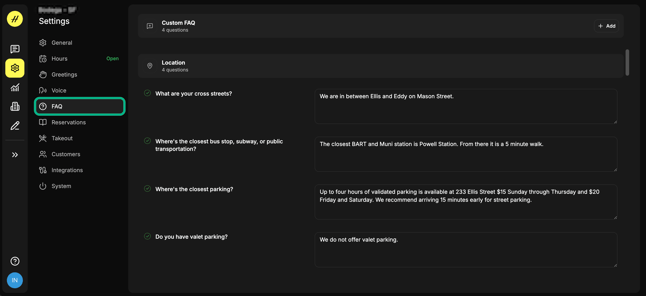
The responses will generally be word-for-word how the voice concierge responds! Be sure to use full sentences.
These are your general frequently asked questions and links to send.
- Log in to your Hostie dashboard
- Select 'Settings' on the left-hand menu
- Select 'FAQs' and scroll to view all responses